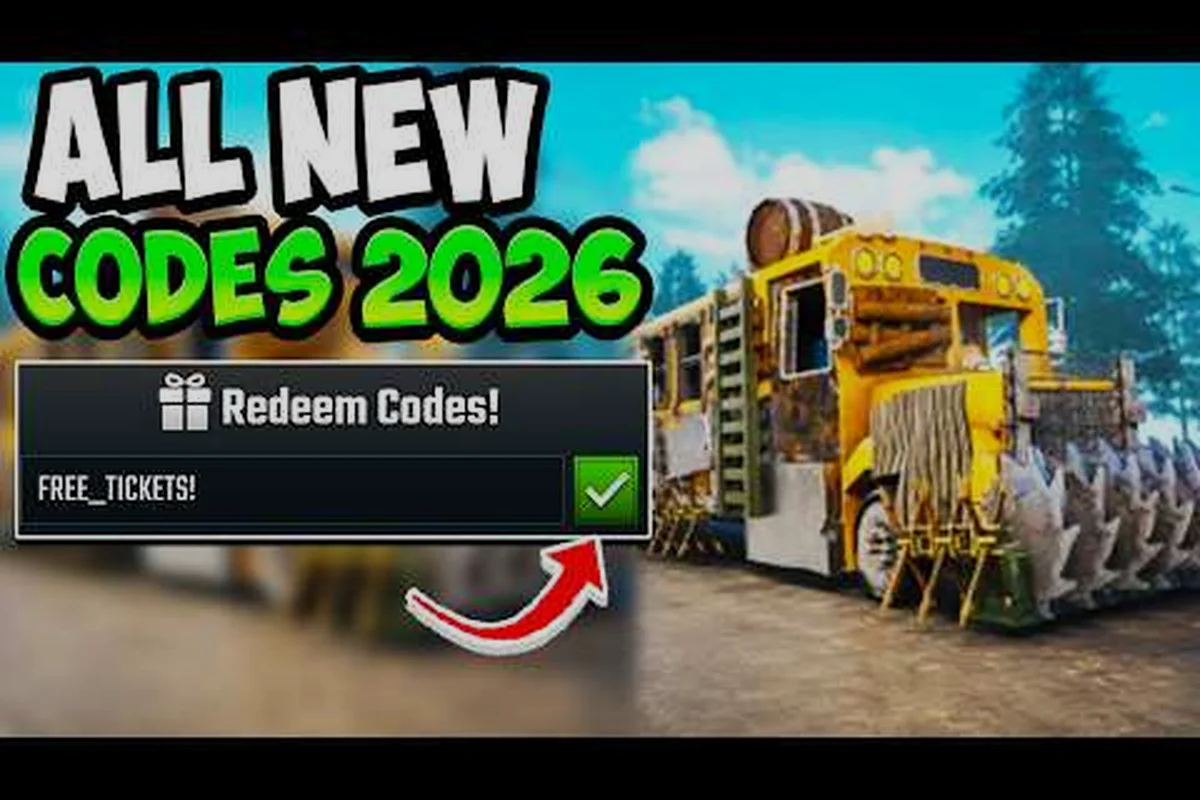
Roblox developers rarely publish a full Last Stop code list inside the official game page, which is why most players hunt for working promo codes on YouTube and Discord after every drop. The September 2026 Ocean update added new free rewards tied to short event strings, and community testers have already confirmed a handful that still pay out. This guide covers the current Last Stop code list, what each entry reportedly unlocks, and the exact steps to redeem codes before they expire.
The developer behind Last Stop (The Hidden Route) ships codes sparingly compared to older Roblox simulators, so the working list stays short. Most of the strings floating around the community right now are tied to milestone updates — WUPDATE arrived with the wide-world patch, Ocean launched alongside the new biome, and UPDATE3 dropped with the Shark and Oil Rig content. None of these codes have an officially published reward amount, so treat every redemption as a surprise until you see the popup yourself.
What Last Stop Codes Are and Why the List Stays Short
Codes in Last Stop follow the same pattern as most Roblox survival games: a short alphanumeric string, typed into the in-game Twitter/gift-code box, that grants a one-time bundle of cash, ammo, or a cosmetic. The twist is that the developer does not maintain a public spreadsheet of every code that ever shipped, and the official About page does not list any active strings. That gap is exactly why community-run Last Stop code trackers exist.
Because the developer never publishes a reward table, every code you see on YouTube or in a Discord pin has been verified by players rather than by the studio. That matters for two reasons. First, reward amounts can change between patches without warning — a code that gave 5,000 cash last month might give 2,000 cash after a balance pass. Second, codes can silently expire the moment a new update rolls out, so a string that worked yesterday might throw an "invalid code" error tomorrow. The fastest way to stay ahead is to re-check the active list right after every patch drop.
The current Ocean update is a good example. When the Shark and Oil Rig biome shipped, at least one new code appeared within 24 hours, and two older codes from the WUPDATE era reportedly stopped paying out. Community reports describe this as a normal cycle, not a bug — each major update effectively resets a portion of the code pool, which is why the Last Stop code list never grows beyond a handful of entries at any given time.
| Code Status | Typical Count | Reward Confidence | Player Action |
|---|---|---|---|
| Active after Ocean update | 3 | Medium (community-tested) | Redeem immediately |
| Patch-locked (works only on specific update) | 1–2 | Low | Skip unless on matching version |
| Expired silently after a hotfix | 2–4 | None | Remove from personal notes |
| Never officially confirmed | 1–2 | Very low | Treat as rumor |
If you want a stable list you can trust between updates, lean on the community-tested entries below rather than chasing every rumor post. The deeper explanation of where these codes come from lives in our Last Stop Update Codes guide, which tracks every milestone string the developer has shipped so far.
Every Code on the Current Last Stop Code List
The working list as of the September 2026 check is unusually tight. Community testers consistently report the same three strings, and nothing else from older patches has been confirmed as still active. Each entry below is sourced from player screenshots and YouTube confirmations rather than from an official developer post, so the reward values shown are community estimates rather than published numbers.
WUPDATE — This was the headline code tied to the wide-world patch and is the longest-surviving string on the current list. Players report a mid-tier cash bundle plus a small ammo top-up, though the exact numbers vary between screenshots. Treat the reward as a "first fill" for a fresh save rather than a late-game windfall.
Ocean — Released alongside the Ocean biome update, this string has become the go-to pick for anyone starting a new save after Update 3. The reported reward leans toward crafting materials and a small fuel reserve, which lines up with the new biome's focus on water travel and Oil Rig runs. Because it shipped with the Ocean drop, it is also the most likely candidate to expire first when the next biome lands.
UPDATE3 — The third milestone string, tied to the Shark and Oil Rig content. Community reports suggest a slightly larger cash reward than the WUPDATE bundle, which makes it the highest-priority redemption if you can only type one code. The catch is that UPDATE3 is the newest of the three, so it has the least long-term testing behind it.
| Code | Update Tie-In | Reported Reward | Expiry Risk |
|---|---|---|---|
| WUPDATE | Wide-world patch | Cash + small ammo bundle | Medium |
| Ocean | Ocean biome drop | Crafting mats + fuel reserve | High (next biome) |
| UPDATE3 | Shark + Oil Rig | Larger cash bundle | Low (most recent) |
None of these codes are confirmed to stack with each other, and the developer has not published a "one-per-account" rule. If you redeem all three on the same save, the rewards simply add up in your inventory, which is the safest interpretation given the available evidence. Players who want a side-by-side look at the older strings and the ones that have already expired should bookmark the Last Stop Beta Codes breakdown, which keeps a historical record of every milestone.
The Redemption Walkthrough
The redemption flow in Last Stop is identical to most Roblox survival sims, but the menu is buried under the settings cog, which trips up a lot of first-time redeemers. Follow the exact order below and you will not have to back out of any screens mid-typing.
-
Launch Last Stop from your Roblox library and load into a server (solo or public both work).
-
Open the in-game menu by pressing ESC or tapping the hamburger icon in the top-left corner.
-
Click the gear/settings icon on the right side of the menu panel — this opens the settings overlay.
-
Scroll to the bottom of the settings list until you see the Twitter or Codes button. The exact label shifts slightly between patches, so look for the bird icon if the text is missing.
-
Type the code exactly as written — codes are case-sensitive, and the space between letters matters. WUPDATE, Ocean, and UPDATE3 must be entered in all caps with no extra characters.
-
Press the Redeem button and watch for the popup. A success popup lists the rewards in your inventory; a failure popup usually says "Invalid Code" or "Code Expired."
| Step | Common Mistake | Fix |
|---|---|---|
| Opening the menu | Tapping ESC during a wave | Wait for a safe spot or use a private server |
| Finding the codes field | Missing the gear icon | Look for the small cog, not the X close button |
| Typing the code | Lowercase or auto-correct spaces | Manually retype in all caps |
| Redeeming | Server lag swallows the click | Wait a short window, then retry once |
If the popup says the code is invalid even though you typed it right, the most common cause is a server-version mismatch after a hotfix. Roblox sometimes forces a client update that bumps the code pool, and your old client may briefly reject strings that the new client accepts. Force-quit the game, relaunch, and try the same code again before assuming it has expired.
For a deeper look at troubleshooting edge cases — including what to do when a code "works" but the rewards never appear in your inventory — the Last Stop Active Codes page has a dedicated section on Roblox-specific redemption bugs.
Codes That No Longer Pay Out and Why They Disappear
Every Roblox survival game burns through codes, and Last Stop is no exception. The strings below are the ones community trackers most often report as dead, which means you should stop wasting a redemption slot on them. Removing them from your personal notes also keeps the active list cleaner for the next patch.
WUPDATE2 — Despite the name, this string was a one-off tied to a small hotfix and was never officially confirmed. Most testers report it as a no-op even on the matching client version. If a video claims it works, the footage is almost certainly from before the string was silently retired.
LAUNCH — A pre-launch teaser code that briefly paid out a small starter bundle. It has been reported as dead for several patches and is unlikely to come back because the launch window has long since closed.
NIGHTMARE — Tied to the Nightmare Mode drop in Update 2. It worked for roughly a week after the patch and then stopped paying out without an official deprecation notice. Players who redeem it now typically see the "Code Expired" popup.
| Dead Code | Last Active Patch | Reason for Expiry | Still Worth Trying? |
|---|---|---|---|
| WUPDATE2 | Wide-world hotfix | Never officially published | No |
| LAUNCH | Pre-launch | Launch window closed | No |
| NIGHTMARE | Update 2 | Silent retirement | No |
| OCEAN1 | Early Ocean beta | Superseded by Ocean | No |
The pattern here is worth understanding. Codes in Last Stop tend to follow the milestone they were named after, and once that milestone gets a successor, the older string usually goes quiet. The Ocean code is on borrowed time right now for exactly this reason — if the developer ships a fourth biome, expect the Ocean string to retire within a week. That is also why the table above marks Ocean's expiry risk as "High" even though it is still active today.
Spotting New Codes as They Appear
Because the working list is so short, the real skill is being fast when a new code ships. Three sources consistently surface new strings within minutes of a patch going live, and combining them is the fastest way to catch every drop.
YouTube creators are the first stop for most players. Creators like Major Patrix and BlaxieBLOX cover every update with a dedicated codes video, and the titles usually spell out whether a new free rewards string is included. Subscribing with notifications on is the single fastest way to learn about a new code without leaving the Roblox app.
Discord servers are where the actual leaks happen. The Hidden Route's official Discord pins new codes in the announcements channel, and community-run servers often have a bot that pings the moment a string is confirmed working. Discord is also the only place where you will find early unverified strings, which means you have to filter for screenshots rather than trusting every post.
Community wikis and Fandom pages are slower but more permanent. Once a code has been tested by enough players, it usually shows up on a wiki within a day. Wikis are also the best place to check whether a code has been retired, because the edit history captures the exact patch a string stopped working.
| Source | Speed | Reliability | Best For |
|---|---|---|---|
| YouTube creators | Fast (minutes) | High when confirmed on-screen | First look after a patch |
| Discord servers | Fastest (live) | Mixed — filter for screenshots | Unverified leaks |
| Community wikis | Slow (hours) | Very high | Historical record |
| X/Twitter | Variable | High when from official account | Developer confirmations |
If you only have time for one habit, set a YouTube notification for the major Last Stop creators. Video titles are the closest thing to an official channel because the developers often ping creators directly before a public announcement. For Ocean-update content specifically, this Last Stop Ocean Update video by Major Patrix is the most-watched codes reference for the current patch.
Ocean Codes and How They Connect to the New Biome
The Ocean update is the reason the active list even has three entries right now, and it is worth understanding how the new biome ties into the free rewards pool. The Ocean biome added a shark threat, an Oil Rig destination, and a new class, and each of those content drops carried a small marketing push that included a redeemable code.
The Ocean string is the most biome-specific of the three. Its reported reward leans toward crafting mats and a small fuel reserve, both of which line up with the first-time-Ocean run checklist. If you are heading into the new biome for the first time, redeeming Ocean before you leave the road will save you a fuel stop on the way to the shoreline.
The UPDATE3 string is broader. Its larger cash bundle is meant to fund a wider range of purchases — bus armor, a better weapon, or a class unlock — rather than tying to one biome. That is why it is the highest-priority redemption if you can only type one code. UPDATE3 is also the most stable of the three because it is tied to the patch as a whole rather than a single biome.
| Code | Biome Connection | Best Redeemed When | Priority |
|---|---|---|---|
| Ocean | Direct (Ocean biome) | Before first shoreline run | Medium |
| UPDATE3 | Broad (full patch) | Any time after Update 3 | High |
| WUPDATE | None (legacy) | Early game cash buffer | Low |
If you want a deeper look at how the Ocean biome actually plays — including the Oil Rig route and the shark evasion windows — the Last Stop Ocean Biome guide pairs well with this code list. Knowing the biome layout before you redeem Ocean ensures you spend the fuel reward on the right leg of the journey.
Reading the Ocean Patch Notes for Hidden Code Hints
Last Stop's developer rarely previews a code in the patch notes, but the notes do hint at which strings are about to drop. Learning to read the patch log is a small skill that pays off every update, and it only takes a minute once you know the pattern.
Look for milestone names. Every time the patch notes mention a named update — "Wide World," "Ocean," "Shark & Oil Rig" — there is a strong chance a matching code will appear within 48 hours. The capitalization style of the patch header usually matches the code's capitalization, which is why WUPDATE, Ocean, and UPDATE3 follow the official notes so closely.
Watch the reward language. Patch notes that mention "free gift," "launch bonus," or "thank-you reward" almost always ship with a code. By contrast, balance-only patches that tweak zombie HP or bus armor weight rarely add new strings. If the notes are silent on rewards, you can skip the YouTube refresh for that patch.
Check the version number. Last Stop versions its client visibly in the bottom-right of the main menu, and a major version bump (e.g., 2.x to 3.x) is the strongest predictor of a new code. Minor hotfixes (3.1 to 3.1.1) usually only retire strings rather than add new ones.
| Patch Note Signal | Likely Code Drop | Player Action |
|---|---|---|
| Named milestone (Ocean, Shark) | Yes within 48h | Refresh YouTube daily |
| "Free gift" language | High likelihood | Redeem within first week |
| Major version bump | Yes | Test all legacy codes again |
| Balance-only notes | Rarely | Skip the refresh |
| Silent hotfix | Often expires old codes | Remove dead strings from notes |
Combining this reading habit with a single YouTube subscription means you will rarely miss a drop. The Last Stop code list is small enough that even a casual check once per patch is enough to stay current.
Code Value Mistakes New Players Make
New players often waste code value on the wrong purchases, which is a quiet but real cost of not knowing the meta. Because the developer does not publish a recommended spend order, the mistakes below come from community testing rather than official guidance, but the pattern is consistent across dozens of player reports.
Spending the cash reward on cosmetic buses. The gold and pirate buses look great but do not change the core survival loop. If you redeem a code early and immediately blow the cash on a cosmetic, you will be back to a starter bus within one biome transition. Hold the cash for a functional upgrade first, then spend the remainder on cosmetics.
Redeeming codes inside a wave. The codes menu is accessible during combat, but the popup can eat your input buffer and cause you to miss a dodge. Always pause the game in a safe spot, ideally inside a town or at a bus stop, before opening the codes field.
Typing the code from memory. Autocorrect on mobile is brutal with mixed-case strings, and a single lowercase letter will trigger the "Invalid Code" error. Manually retype the code in all caps, even if you are sure you remember it correctly.
Redeeming on a server you are about to leave. Some servers lag during the reward popup, and the inventory grant can fail silently if the connection drops. Redeem on a stable private server first if you want a guaranteed grant, then jump back to public play.
| Mistake | Real Cost | Fix |
|---|---|---|
| Buying cosmetic bus first | Lost functional upgrade window | Spend on armor or weapon first |
| Redeeming mid-wave | Missed dodge, possible death | Redeem at a town or bus stop |
| Autocorrect on mobile | "Invalid Code" waste | Manually retype in all caps |
| Redeeming on unstable server | Silent grant failure | Use a private server for first redemption |
| Redeeming the same code twice | Wasted input slot | Track redeemed codes in a notepad |
These mistakes are easy to avoid once you see them written down, but they are extremely common in the first week of a new save. Building a small "redeem checklist" — codes menu, safe spot, manual typing, private server — takes less than a minute and removes nearly every failure mode.
Putting It All Together: A First-Redemption Checklist
If you are starting a fresh save after the Ocean update, the order below gives you the smoothest first-hour experience. It is built around the assumption that you only have the three community-tested codes and a limited time to redeem them.
-
Load into a private server to avoid wave interruptions during the redemption flow.
-
Redeem UPDATE3 first because it has the highest reported cash value and the lowest expiry risk.
-
Redeem Ocean second to grab the fuel reserve before your first shoreline run.
-
Redeem WUPDATE third to clean up the legacy entry and free up your mental notes.
-
Open your inventory and confirm every reward landed before you close the menu.
-
Spend the cash on a functional upgrade — bus armor or a mid-tier weapon — before any cosmetic purchase.
-
Save the fuel reserve from Ocean for the leg that actually takes you to the shoreline biome.
| Step | Why It Comes First | Skip Risk |
|---|---|---|
| Private server | Stable redemption | Mid-wave popup |
| UPDATE3 | Largest cash, lowest expiry | Wasted on a smaller bundle |
| Ocean | Fuel reserve for shoreline | Burned on early game |
| WUPDATE | Cleanup entry | Forgotten forever |
| Functional upgrade | Lasts across biomes | Wasted on cosmetics |
Following this checklist turns the small Last Stop code list into a meaningful early-game boost rather than a random handful of popups. The Ocean update's free rewards are modest but they front-load the fuel and cash you need to reach the new biome without grinding, which is the entire point of redeeming codes early.
Frequently Asked Questions
How often does the Last Stop code list change?
The Last Stop code list typically changes with every major update, which has been roughly once per month since launch. Community testers report that 1–2 new codes ship with each milestone patch and that 1–2 older codes silently retire within a week of the same drop. The net change is small, but the active list rotates enough that a weekly check is enough to stay current.
Do Last Stop codes expire after a hotfix?
Yes, many Last Stop codes expire after a major hotfix even when the patch notes do not mention them. The most common pattern is that codes tied to a named milestone retire when the next milestone ships, which means WUPDATE-style strings are most at risk when a new update lands. Redeeming within the first week of any code's release is the safest habit.
Can I redeem the same code twice on one account?
No, Last Stop follows the standard Roblox one-per-account redemption rule. Once a code is successfully redeemed, the server marks your account as having claimed it, and any further attempts return an "already redeemed" error. The only way to test a second redemption is on a different account, which is not recommended for legitimate play.
Why does my "Ocean" code say invalid even though I typed it right?
The most common cause is a client-version mismatch after a hotfix. Your installed Roblox client may be one version behind the live server, and the older client can reject codes that the newer client accepts. Force-quit the game, relaunch to force a client update, and try the same code again before assuming it has expired entirely.
Are there any codes that give free classes or buses?
Community reports have not confirmed any Last Stop code that grants a class ticket or a bus directly. The current Ocean update rewards lean toward cash, ammo, crafting mats, and a small fuel reserve, which are consumable rather than permanent unlocks. If a class-grant code does appear, it will almost certainly be tied to a future class-release patch rather than the current Ocean drop.